
The SaveTrack electronic trip log records every trip automatically and precisely from GPS. Instead of filling things in by hand, you have a complete trip logbook ready to export with a single click.
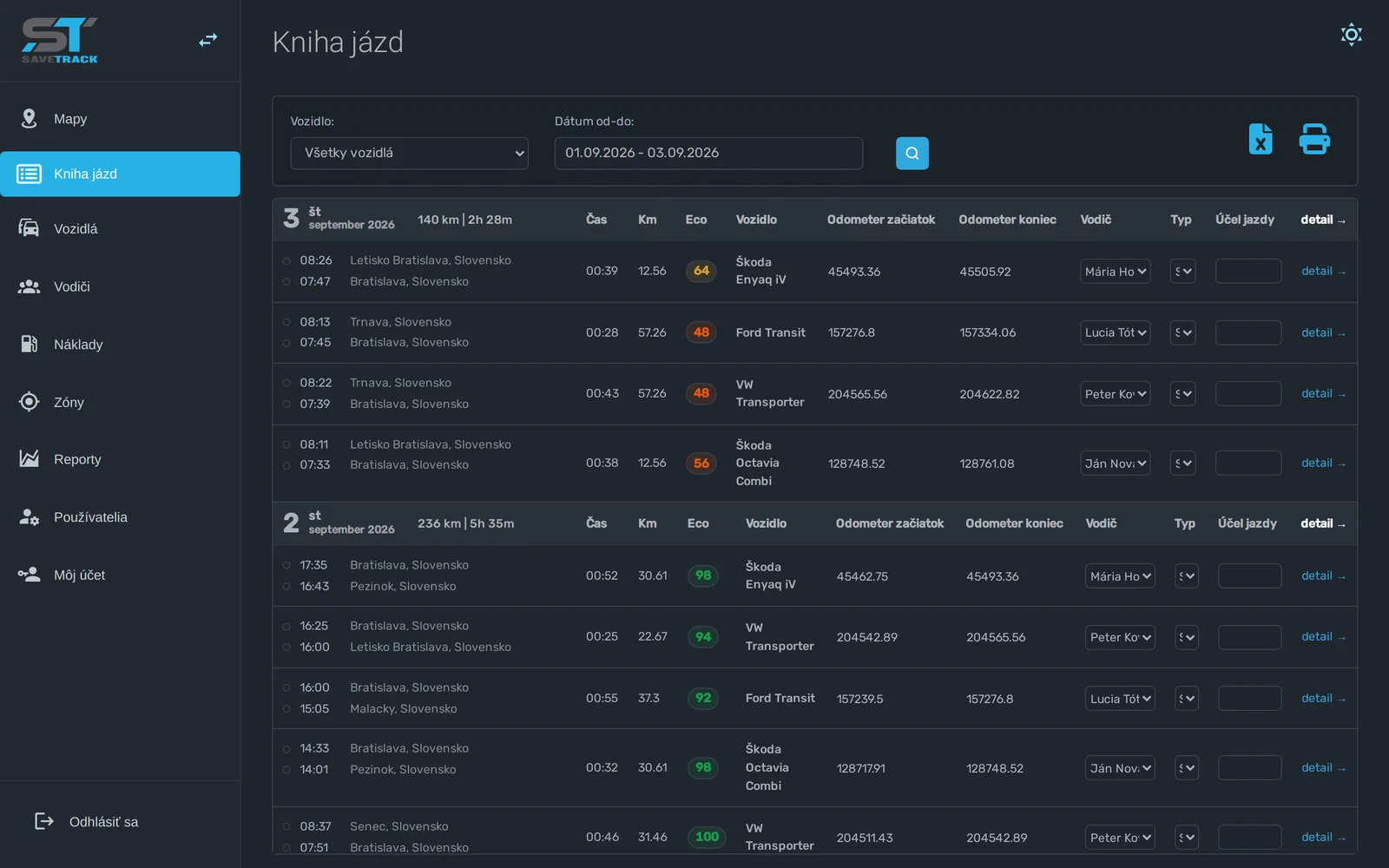
The GPS device records every trip of your vehicle automatically - date, time, place of departure and arrival, distance covered and odometer reading. You do not have to remember anything or add anything at the end of the month. The location updates every 60 seconds while driving, so the routes are accurate and trustworthy.
You have the finished trip logbook available online at any time. You save hours of admin and have the certainty that the records add up to the last kilometer.
For every trip you mark whether it was private or business, and for a business trip you add the purpose of the journey, for example “Visit to a customer”. The app offers frequent purposes in one click. For a private trip the logbook shows only “Private trip” instead of the addresses and purpose.
This distinction is key to correct reimbursement of allowances, VAT and tax records. Everything stays clear and auditable.
You can download the trip logbook at any time in Excel or PDF format for any period. Every trip in the export contains the date and time of departure and arrival, the vehicle with its registration plate and VIN, the driver's first name and surname, place of departure and arrival, purpose of the trip, trip type (business or private), kilometers driven and the odometer reading before and after the trip.
SaveTrack assigns the driver to each trip automatically by vehicle or by the driver's personal BLE key, and you can change it in the app. The export therefore contains the data a trip logbook needs for the tax office and fuel reimbursements.
An accurate trip logbook is the basis for claiming fuel costs and for correctly taxing the use of a company vehicle. With SaveTrack you always have the documents at hand and in order.
You eliminate the risk of errors from filling things in by hand and have proof of every journey backed by a GPS record.
What a trip log must contain, how to keep it for business and private trips and what a tax audit looks for – in detail in these articles:
Almost nothing. GPS records the date, time, route, kilometers and odometer reading by itself and assigns the driver by vehicle or by the driver's BLE key. For a business trip you add the purpose (the app offers frequent purposes) and you mark private trips as private.
Yes. The export contains the data a trip logbook requires for tax purposes: date and time of the trip, place of departure and arrival, the driver's name, the purpose of business trips, kilometers driven and the odometer reading. You download it to Excel or PDF.
Yes. Both the Excel and PDF export have a column with the driver's first name and surname and a column with the trip purpose for every trip. They also contain the date and time of departure and arrival, place of departure and arrival, the vehicle's registration plate and VIN, the trip type, kilometers driven and the odometer reading before and after the trip.
Yes, every trip can be marked as private or business, which allows precise accounting of costs and allowances.
You export the trip logbook to Excel or PDF format for any period you choose.
SaveTrack is the only service that encrypts your GPS data. Location, routes and the trip logbook are always st...
Learn moreSaveTrack shows you how much fuel your vehicles really consume and whether every refueling adds up. You gain a...
Learn moreWhen transporting food, medicine or other sensitive cargo, every degree matters. SaveTrack guards the temperat...
Learn moreGPS monitoring from 5.80 €/month, GPS device included with annual payment. The price drops every year down to €4.
Order with no obligation